LinkedIn credentials
Changed in version 2.0: LinkedIn now uses OAuth 2.0 authentication. You no longer need to manually generate access tokens.
Agoras needs the following OAuth app credentials from LinkedIn to access its API:
Client ID
Client Secret
Object ID (User/Organization ID)
Create a LinkedIn App
Sign in to the LinkedIn developer portal.
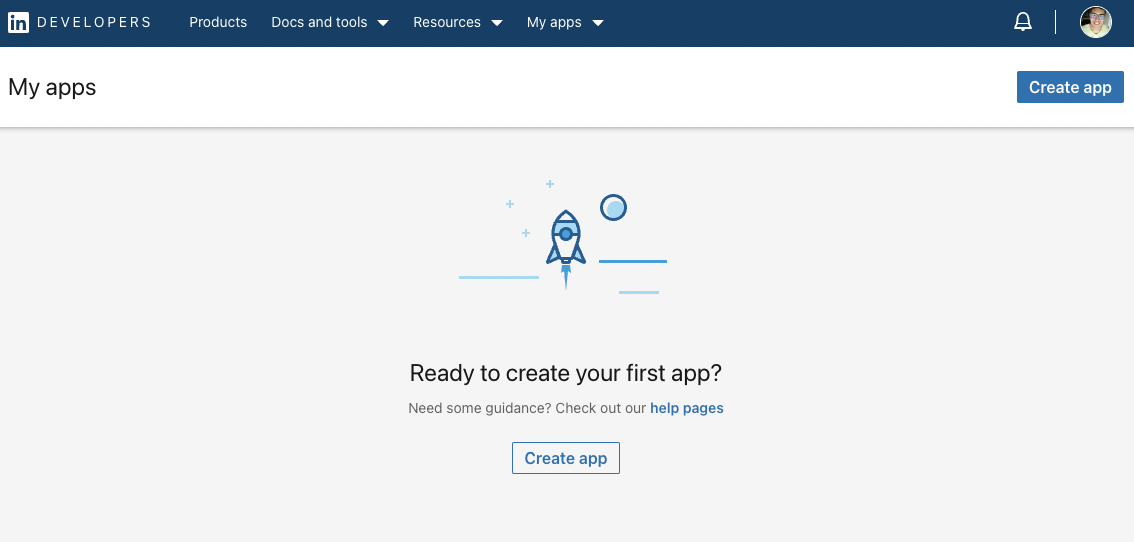
Click “Create app” to create a new app.
Enter basic details such as the app’s name and logo.
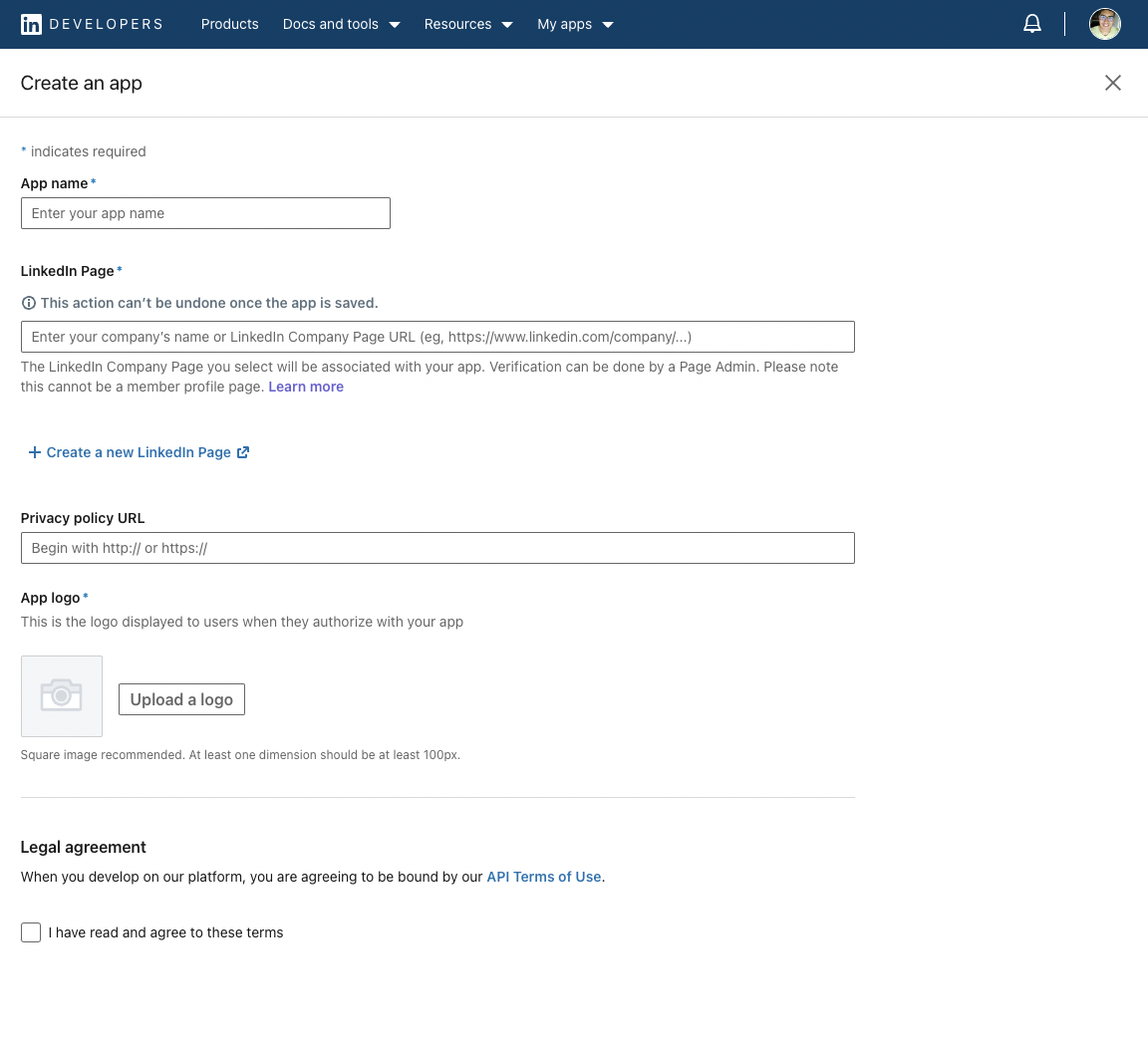
You will need to associate your app with a LinkedIn page. If you don’t have any pages, create one.
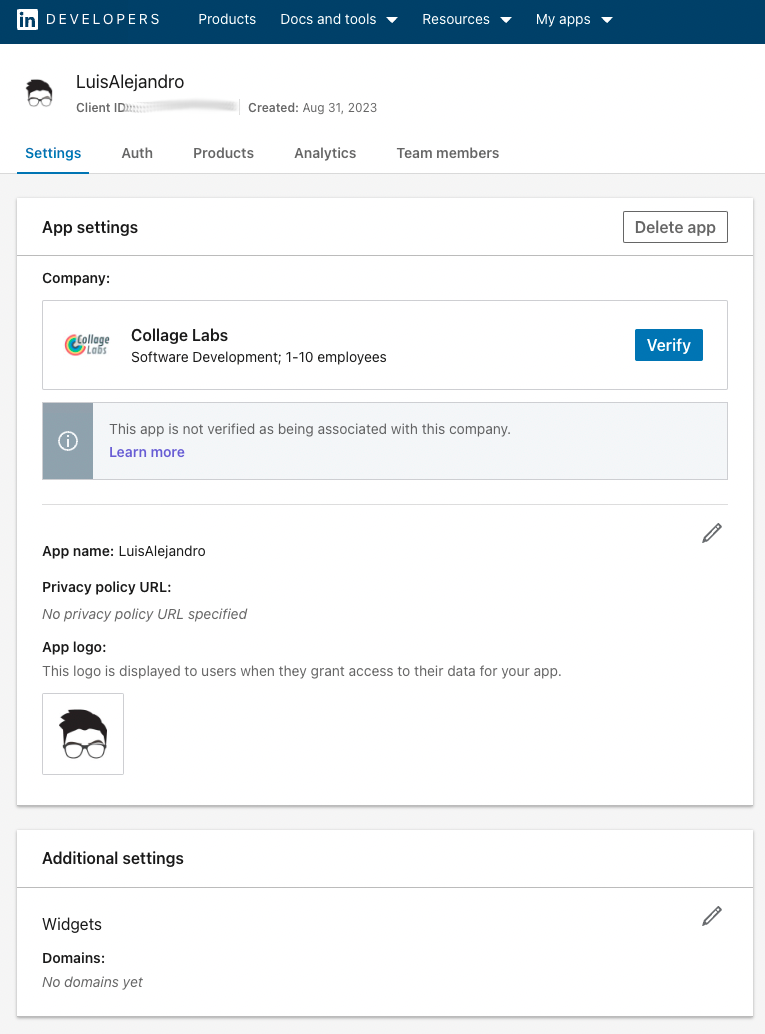
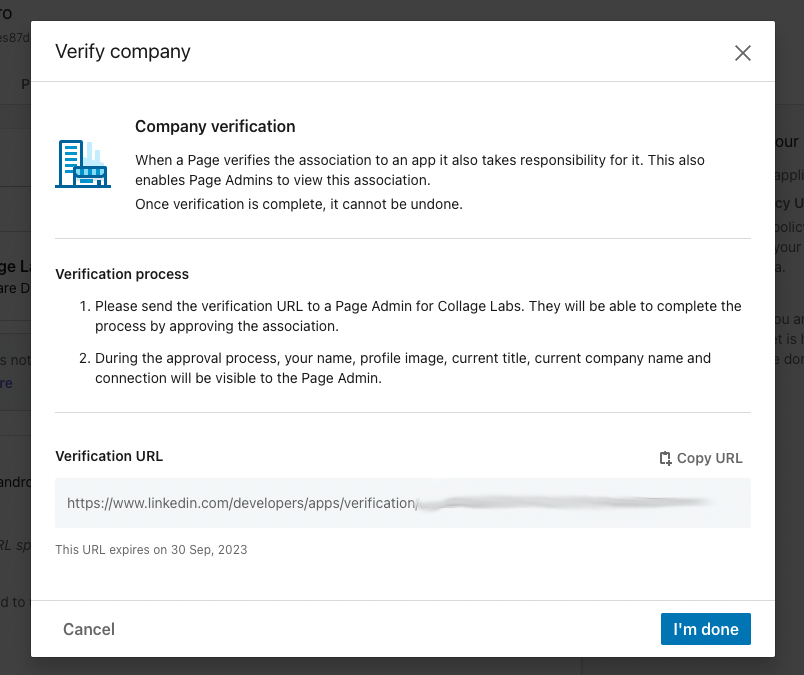
Request App Verification From the Company Page: go to the Settings tab and press the “Verify” button to receive a verification link. Open this link and confirm responsibility for the app.
Request Access to Products
Go to Products tab, and request access to “Share on LinkedIn” and “Sign In with LinkedIn using OpenID Connect”.
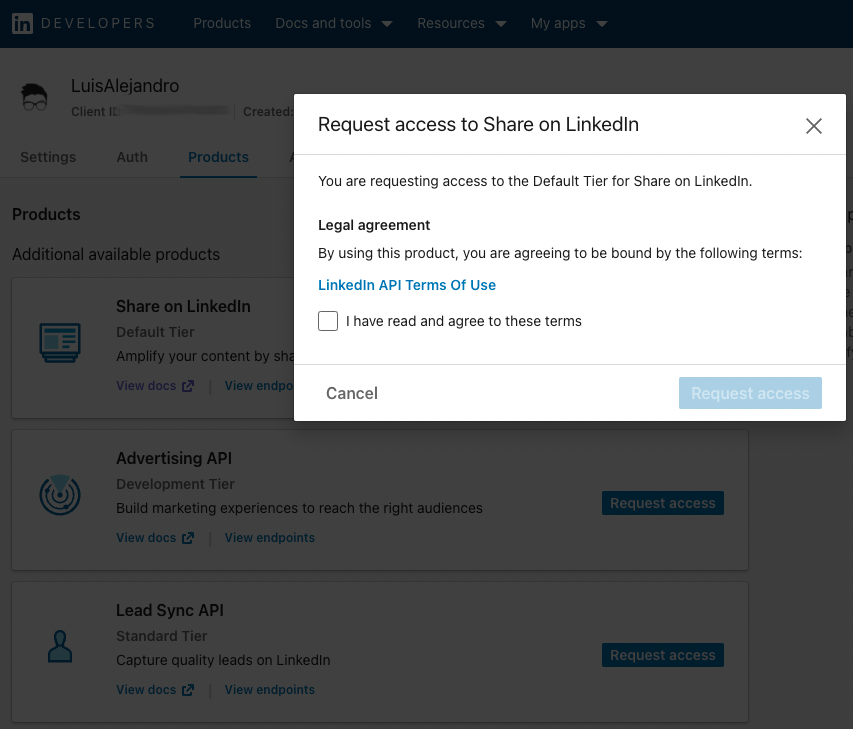
Once approved (usually instantly), go to the Auth tab in your app settings to find your Client ID and Client Secret.
Get App Credentials
In your LinkedIn App dashboard, go to the Auth tab.
Note your Client ID (this is your
--client-id).Note your Client Secret (this is your
--client-secret).
Configure OAuth Redirect URI
In your LinkedIn App dashboard, go to the Auth tab.
Under “Authorized redirect URLs for your app”, add the redirect URI:
https://localhost:3456/callback
Note
The redirect URI is fixed to https://localhost:3456/callback.
Save changes
Get Object ID (User/Organization ID)
You need the LinkedIn user or organization ID you want to post as. To find it:
Go to your LinkedIn profile or company page.
The ID can be found in the URL or by using the LinkedIn API.
For organizations, you can find it in the company page settings.
Alternatively, after authorizing, Agoras will automatically detect and use the correct ID.
CI/CD Setup (Unattended Execution)
For CI/CD environments where interactive browser authorization isn’t possible, you can skip the authorize step entirely and provide all required credentials via environment variables.
Run
agoras linkedin authorizelocally first to generate a refresh token (one-time setup)Extract the refresh token using the tokens utility command:
# First, list tokens to find the identifier (if you don't know it)
agoras utils tokens list --platform linkedin

# Then view all stored credentials
agoras utils tokens show --platform linkedin --identifier {identifier}
Set all required environment variables in your CI/CD pipeline:
export LINKEDIN_OBJECT_ID="your_object_id"
export LINKEDIN_CLIENT_ID="your_client_id"
export LINKEDIN_CLIENT_SECRET="your_client_secret"
export LINKEDIN_REFRESH_TOKEN="your_refresh_token_here"
Run Agoras actions directly without running
authorize. All credentials will be loaded from environment variables.
Note: For unattended execution, you must provide all required credentials. The refresh token alone is not sufficient - you also need client ID, client secret, and object ID as shown in the Platform Arguments and Environment Variables Reference documentation.
Agoras parameters
LinkedIn credential |
Agoras parameter |
|---|---|
Client ID |
–client-id |
Client Secret |
–client-secret |
Object ID (User/Org ID) |
–object-id |